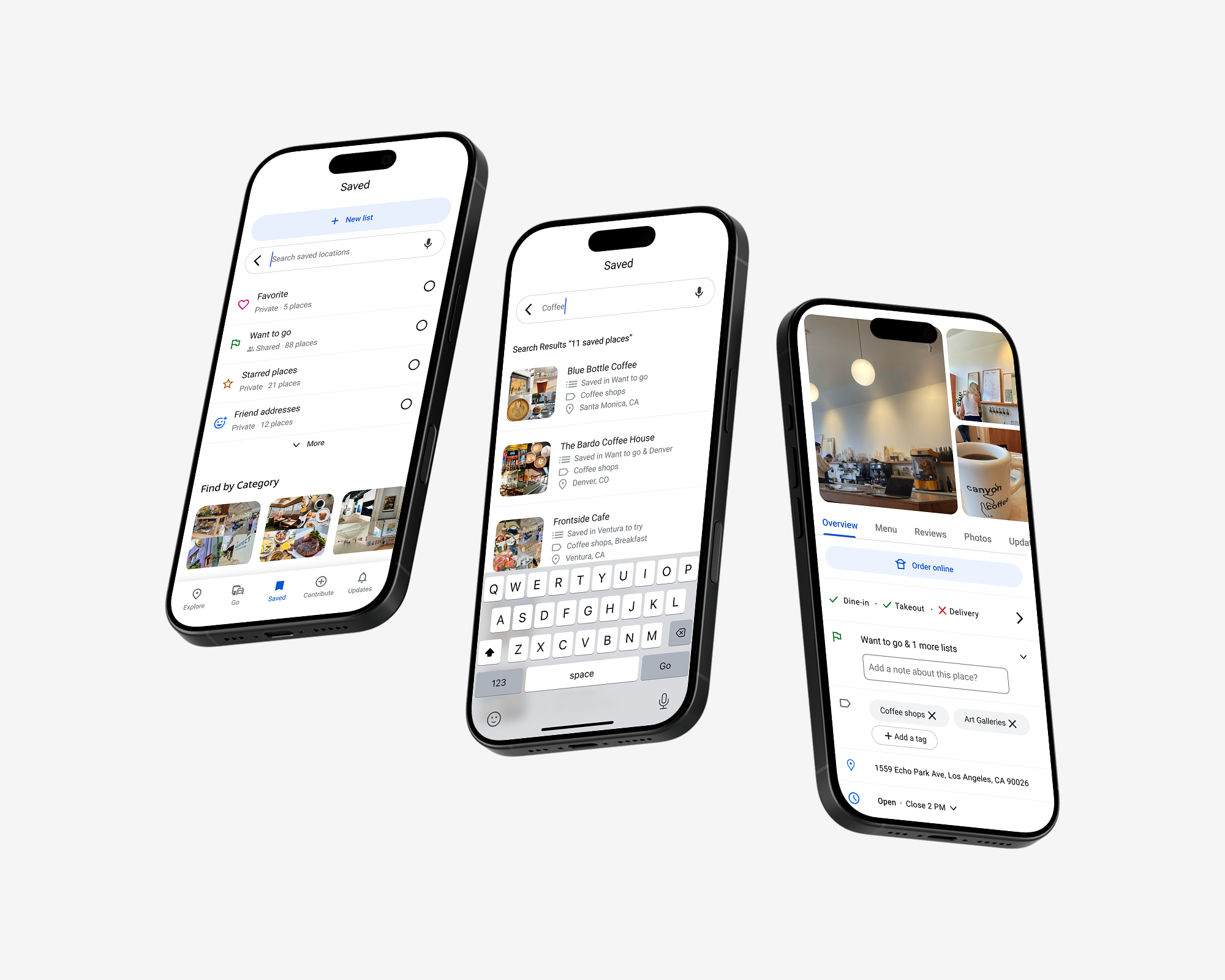
Google MapsReimaging Google Maps Saved Places with an AI Feature
Industry
B2C SaaS
Timeline
4 months
Year
2024
Team
Myself - UX/UI Designer
OverviewReimaging Saved Places in Google Maps using AI image recognition
Background
Millions of people use Google Maps every day to save restaurants, shops, and favorite spots. But finding them later isn’t always easy. Long lists, forgotten names, and cluttered organization make it harder than it should be.
Project Overview
As an active Google Maps user, I designed a concept that rethinks saved places for active power users. Instead of relying only on names of places and addresses, this approach uses AI-powered memory recall — letting people search the way they naturally remember.
Business Impact (Concept Outcomes)
By simplifying how people retrieve saved places and adding contextual search, user testing showed they felt more confident and less frustrated with the overall experience.
13%
Faster to find saved places during usability testing
4/5
Contextual recall made pins easier to remember
ChallengeSaving places is easy; finding them later is hard.
Key Insight: Endless lists make finding places a chore
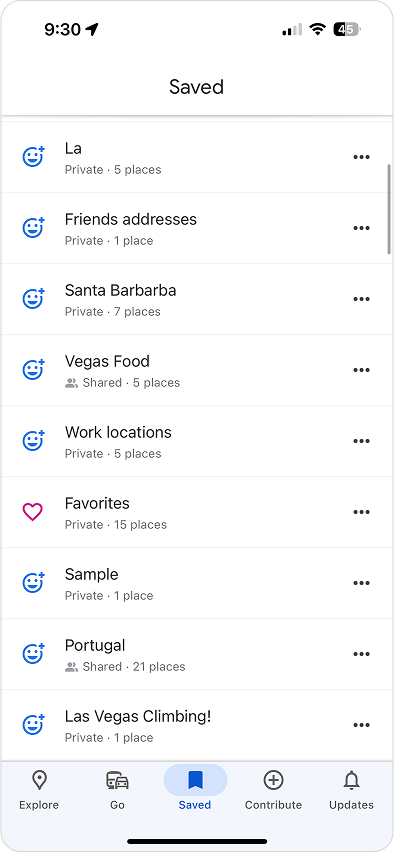
Power users rely on Google Maps to bookmark restaurants, hikes, and travel spots but once saved, those locations often vanish into long, flat lists.
Google Maps is great at storing places, but not great at helping you remember them.
SolutionFind saved places the way you actually remember them
I designed an AI-assisted Saved Places experience that treats your pins like memories, not just points on a map. Instead of relying only on names and addresses, it adds contextual and AI-powered search so you can start with fuzzy recall—like “that coffee shop near LAX recommended”—and still find what you need quickly.
Solution #1 - AI organizes your saved places
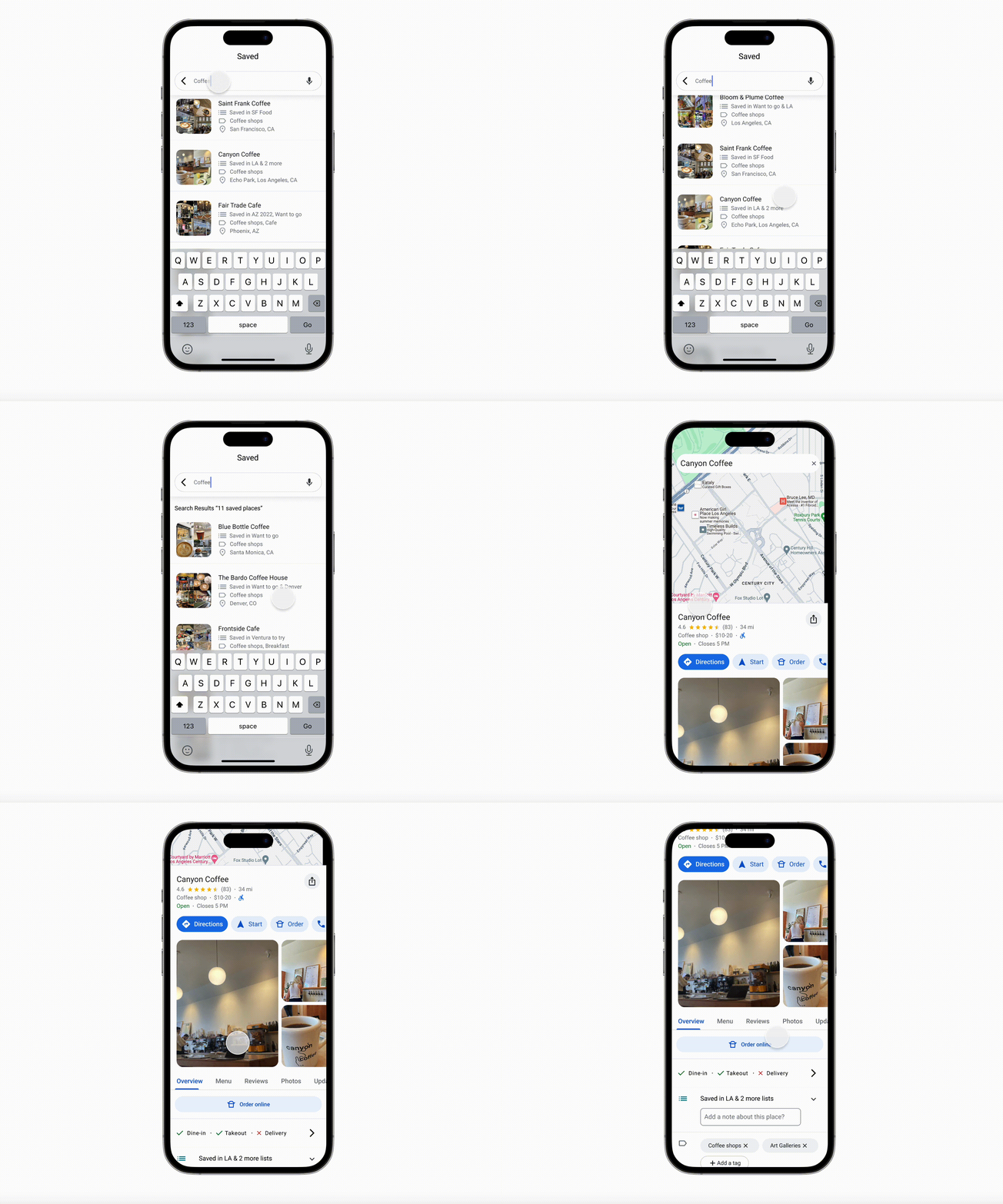
The AI assistant scans your existing pins and automatically groups them by patterns it detects—like coffee shops, art galleries, brunch spots, or surf breaks.
Users don’t have to manually maintain perfect lists.
Smart groups update as you save more places.
You can still rename or adjust groups to match your mental model.
Solution #2 - Tag your places for easy recall
When you save a place, you can add lightweight tags such as “date night,” “with mom,” “SF trip 2023,” or “solo work spot.” The AI then uses these tags—plus metadata like time, location, and photos—to power more flexible search later.
This creates a bridge between how you think (“ramen place from Seattle trip with Alex”) and how the system stores data (place name, address, and category).
Solution #3 - Search by moment, not just by name
In the concept flow, users can search using natural language, like:
“Sushi place near the hotel from my NYC trip” or “Coffee shop Lauren recommended in Portland.”
The system combines tags, location, time, and visit history to surface likely matches.
ResearchHow people currently use (and lose) Saved Places
I ran moderated usability testing with power users for Google Maps users who rely on Saved Places to track restaurants, travel ideas, and recommendations from friends. Through usability testing, I saw consistent struggles around saved places:
Common themes:
People blamed themselves when they couldn’t remember why they saved a place.
Without notes or tags, pins felt “flat”, just names on a list with no story attached.
Power users with dozens of lists felt disorganized and often stopped using them.
To jog their memory, people switched between Map View (“I’ll know it when I see the area”) and List View (“maybe I put it in that city list”).
Key insight: No one had a reliable, low-effort system for finding saved places again. They wanted the app to “remember for them.”
IdeationWhat if Saved Places worked more like a memory?
I explored patterns from other products that help people rediscover content—Spotify playlists, photo search (“dog in 2019”), and tools like Notion or Pinterest with tags and filters.
Two ideas stood out:
Let AI handle the organizing. Instead of expecting users to maintain perfect lists, use AI to group and surface saved places when they’re relevant.
Make context first-class. Let people search by who they were with, what they were doing, or when/where they were, not just by proper names.
These ideas shaped the final concept: a saved places system that quietly organizes in the background but feels human when you need it.
DesignUsing the Existing Material Design Library to come up with a solution
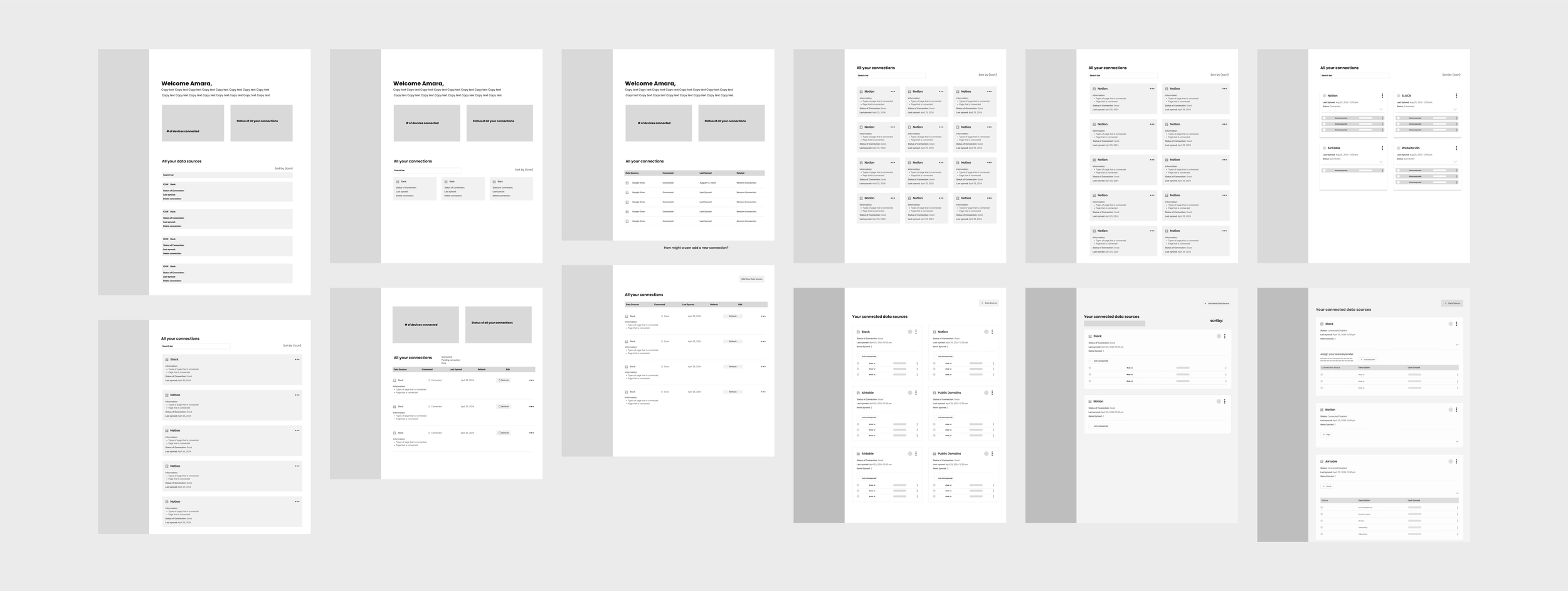
To keep things clear and easy to scale, I tested different flows using low and mid-fidelity wireframes.
Low-fi: Focused on mapping key tasks like connecting, managing, and re-syncing data sources.
Mid-fi: Refined hierarchy, microcopy, and UI priorities (syncing, alerts, edge cases).
Patterns explored:
Step-by-step setup flows
Progressive disclosure (showing info only when needed)
Cards and tables for organizing data
On-screen instructions and alerts for feedback
Final approach: A hybrid pattern using progressive disclosure and Bootstrap components—scalable, clear, and easy to maintain.
Business ImpactMeasuring Success - Did it Work?
I validated the concept with another round of prototype tests using the same group of power users. Even in a lightweight Figma prototype, the impact was clear:
13%
Faster to find a specific saved place compared to the existing experience.
4/5
Contextual recall made pins easier to remember
While this was a conceptual project, the results showed how layering AI and context onto an existing surface can meaningfully improve retrieval without overhauling the entire product.
Reflections Designing with AI as a collaborator
This project helped me practice designing AI features that feel genuinely helpful, not flashy. The goal wasn’t to add “AI” for its own sake—it was to quietly support how people already think and remember.
A few things I’m taking forward:
Start with human memory, then decide where AI can help.
AI works best when it reduces manual organization, not replaces user control.
Even in concept work, grounding ideas in real patterns (Material Design, existing behaviors) makes the solution easier to imagine shipping.
Most importantly, this project reinforced the kind of problems I love working on: helping people feel less scattered and more supported by the tools they use every day.